はじめに
最近(というかだいぶ前からずっと)MCPが話題になっていますね。
お恥ずかしながら、正直追えてなかったのですが やさしいMCP入門 - Speaker Deck で基礎的なところは理解できました。とてもわかりやすかったです。
しかし、実際に触ってみないことにはわからないので建ててみることにしましょう!
公式が推奨しているパッケージマネージャは普段利用していないものだったので、環境を汚さないためにパッケージマネージャーのみを変えて試してみました。
この記事はその中で躓いた点を残した備忘録です。
この記事の対象者
環境のセットアップ
まだ pyenv がインストールされてない方は、公式がいう通り uv でのセットアップを進めると良いかと思います。
それでも pyenv を利用される方は下記の手順でインストールしてください
Python 3.10 or higher installed.
と言われているのでとりあえず 3.11.5 をインストールして、global で設定
$ pyenv install 3.11.5
$ pyenv global 3.11.5
コードの用意
まずは必要なライブラリをインストールします。
$ pip install mcp httpx
コードは公式のものをそのまま利用します。パッケージマネージャが異なるだけなのでここは変更がありません。
Claude for Desktop でサーバーをテストする
と同様に ~/Library/Application Support/Claude/claude_desktop_config.json を編集します。
uv ではなく pyenv を使用しているので python コマンドを使用します。
{
    "mcpServers": {
        "weather": {
            "command": "python",
            "args": [
                "MY-PATH/mcp-server-test/src/main.py"
            ]
        }
    }
}
そのまま Claude Desktop を起動すると下記のエラーが発生しました。
2025-04-15T14:13:02.862Z [weather] [info] Initializing server...

2025-04-15T14:13:02.891Z [weather] [error] spawn python ENOENT {"context":"connection","stack":"Error: spawn python ENOENT\n    at ChildProcess._handle.onexit (node:internal/child_process:285:19)\n    at onErrorNT (node:internal/child_process:483:16)\n    at process.processTicksAndRejections (node:internal/process/task_queues:82:21)"}

2025-04-15T14:13:02.891Z [weather] [error] spawn python ENOENT {"stack":"Error: spawn python ENOENT\n    at ChildProcess._handle.onexit (node:internal/child_process:285:19)\n    at onErrorNT (node:internal/child_process:483:16)\n    at process.processTicksAndRejections (node:internal/process/task_queues:82:21)"}

2025-04-15T14:13:02.896Z [weather] [info] Server transport closed

2025-04-15T14:13:02.896Z [weather] [info] Client transport closed

2025-04-15T14:13:02.896Z [weather] [info] Server transport closed unexpectedly, this is likely due to the process exiting early. If you are developing this MCP server you can add output to stderr (i.e. `console.error('...')` in JavaScript, `print('...', file=sys.stderr)` in python) and it will appear in this log.

2025-04-15T14:13:02.896Z [weather] [error] Server disconnected. For troubleshooting guidance, please visit our [debugging documentation](https://modelcontextprotocol.io/docs/tools/debugging) {"context":"connection"}
内容は spawn python ENOENT でpython が無いよ〜って感じですね。
path が通ってなさそうなので場所を確認して修正してあげます。
# 場所の確認
$ which python
MY-PATH/.pyenv/shims/python
修正後
{
    "mcpServers": {
        "weather": {
            "command": "MY-PATH/.pyenv/shims/python",
            "args": [
                "MY-PATH/mcp-server-test/src/main.py"
            ]
        }
    }
}
これで、Claude Desktop を再起動すると問題なく読み込まれていることがわかります。
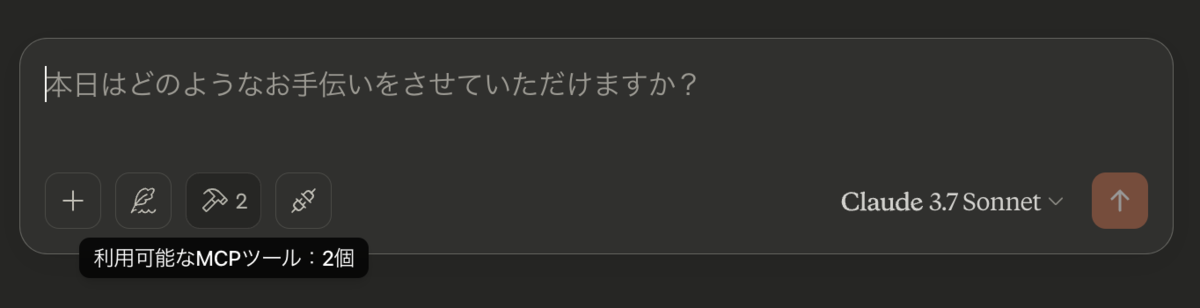
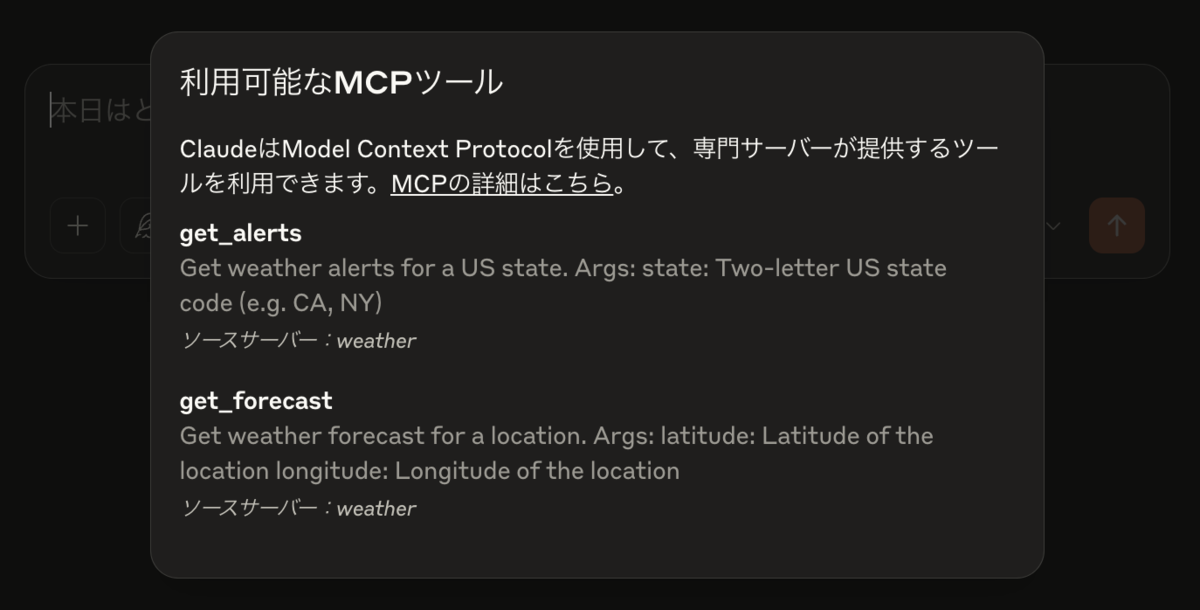
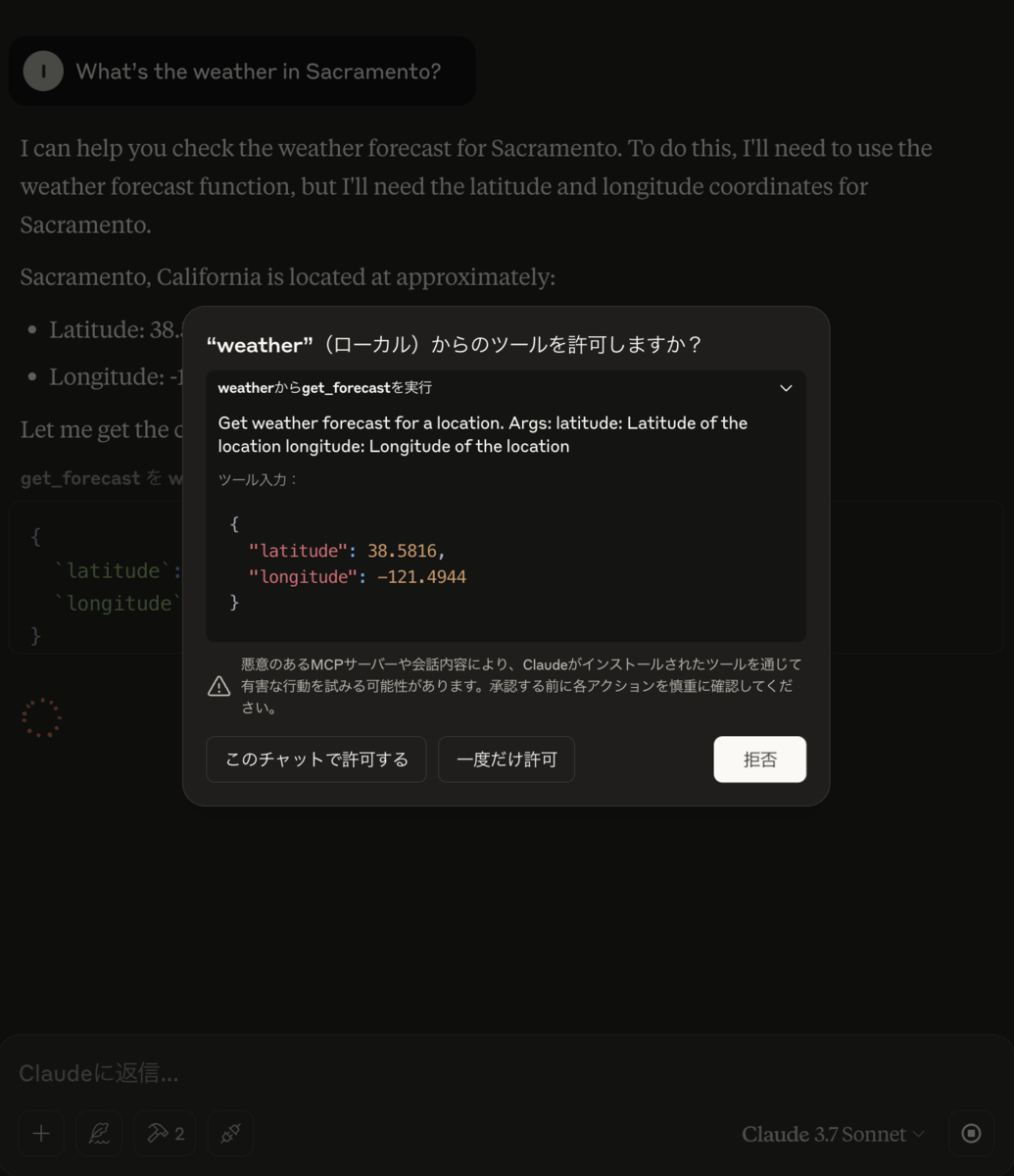
天気を聞くと MCP サーバーへアクセスが走ります。
最後に
公式のサンプルのままですが、とりあえずMCPサーバを建てることができました!
今後はSpotifyなど様々なサービスが出しているMCPサーバだったり、自宅サーバで動かしている自分用のサービスにMCPサーバを追加してみたり使用と思います。
